
1980s AI Photo Prompt for ChatGPT: Copy-Paste Prompts That Look Real
The 1980s AI photo prompt behind the ChatGPT retro trend, plus copy-paste 80s prompts for living-room snapshots, mall glamour portraits, yearbooks, arcades and roller rinks — and the details that stop your picture looking fake.
The 1980s AI photo prompt is the rare trend that works the same way for everyone: you upload one clear photo, paste a paragraph about big hair, bold makeup and direct flash, and a few seconds later you are looking at a photo that could have come out of a 1985 family album. It spread across Instagram, TikTok and X through September, and coverage from Mashable, The Indian Express and Digit all published prompt packs within days of each other.
Most of those packs give you the prompt and stop there. This guide goes further: what the prompt is actually doing, seven prompts you can paste as-is, a keyword table for fixing whatever looks wrong, and the safety question nobody puts in the caption.
What the 1980s AI photo trend actually is
The format is a reference-image edit, not a text-to-image generation. You attach a current photo of yourself or your group, then ask the model to restage that same person in a 1980s setting while keeping the face recognizable. Sometimes people use the word yearbook photo and mean the blue-backdrop school portrait; sometimes they mean a mall studio sitting; sometimes it is an arcade, a roller rink or a record store.
Three things made it travel so fast:
- It is a one-paragraph ask. No image-editing skill, no layers, no masking.
- The output is intrinsically nostalgic. The 1980s portrait studio is a shared visual memory even for people who never sat in one.
- It is comedic and safe. Nobody has to be good at it. A slightly wrong result is still postable.
The trend is also the latest chapter in a longer series of ChatGPT image makeovers — the caricature trend and the "make it more" trend both ran on the same loop: upload, prompt, compare, post.
Why the 1980s is such an easy decade to fake
Faking the 1980s is easier than faking the 1990s or the 1970s, because the era had a very narrow, very consistent look in consumer photography — and that look came from equipment, not from taste.
A 1980s mall portrait was usually shot by a chain studio. Olan Mills ran over a thousand studios at its peak and CPI Corp operated several hundred inside Sears locations; the prints they sold carried the studio name and year printed into the corner. The technical recipe was consistent everywhere:
- a painted canvas backdrop, usually mottled blue or brown, visibly wrinkled
- hard direct flash plus one soft key light, which flattens the face and drops a crisp shadow behind the subject
- consumer color negative film, which faded, shifted warm and picked up a slight green cast after a decade in an envelope
- a date stamp burned in by the camera, most often in orange
That is the entire aesthetic. It is reproducible with words, which is exactly why this prompt works.
The four 1980s looks people are actually making
Scroll the trend for ten minutes and you notice the posts are not one look. They are four, and each one pulls the prompt in a different direction. Pick yours before you write anything.
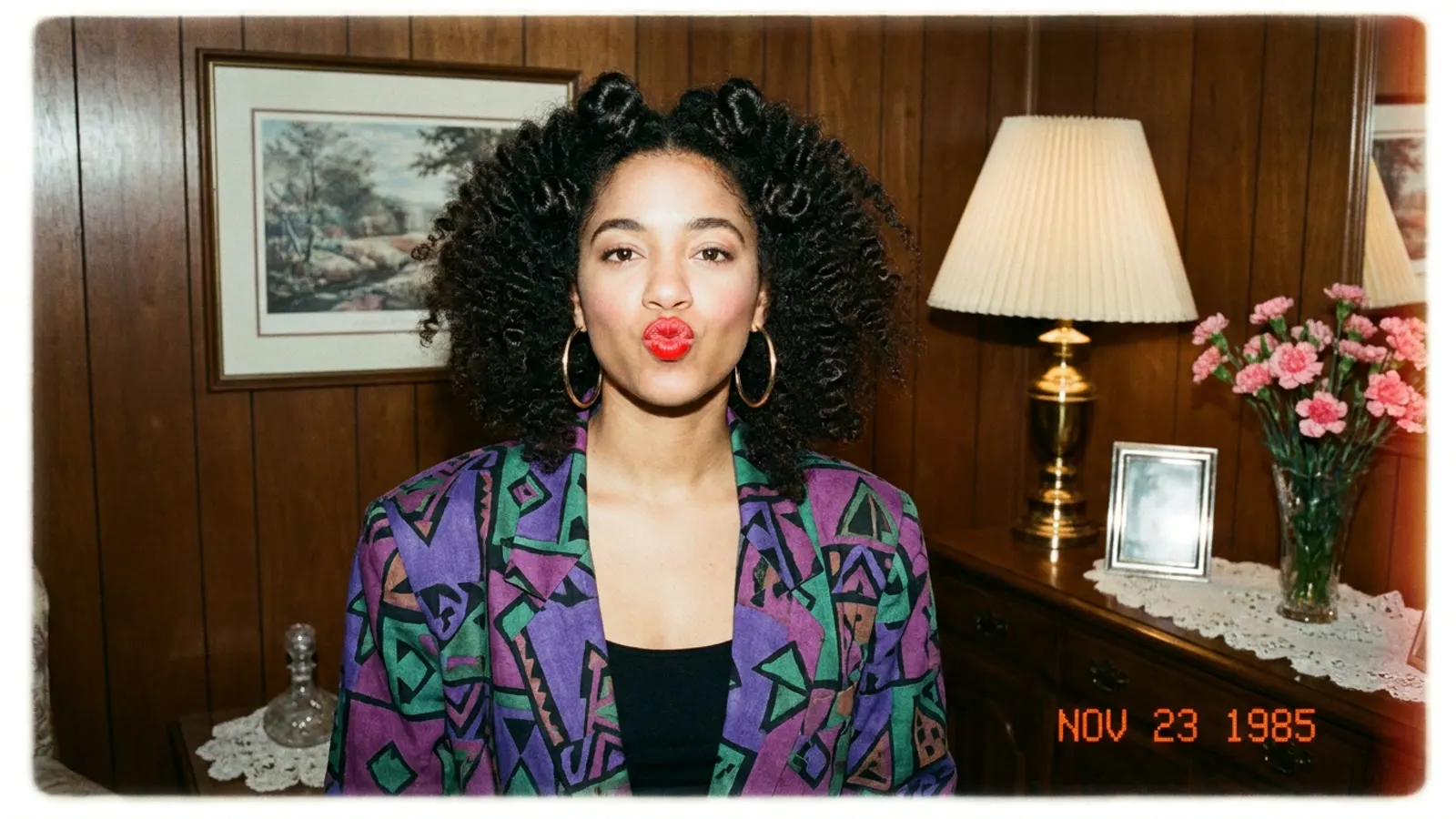
1. Living-room snapshot. The highest-volume style, and the one that reads most like a real family photograph. Shot indoors at home, not in a studio: wood-paneled walls, a pleated lampshade, a framed print, a doily on the sideboard. Clothing is the loud kind — a geometric-print blazer with shoulder pads, a patterned knit sweater. The expression is loose and a bit playful rather than posed. A red-orange date stamp in the corner is what sells it.
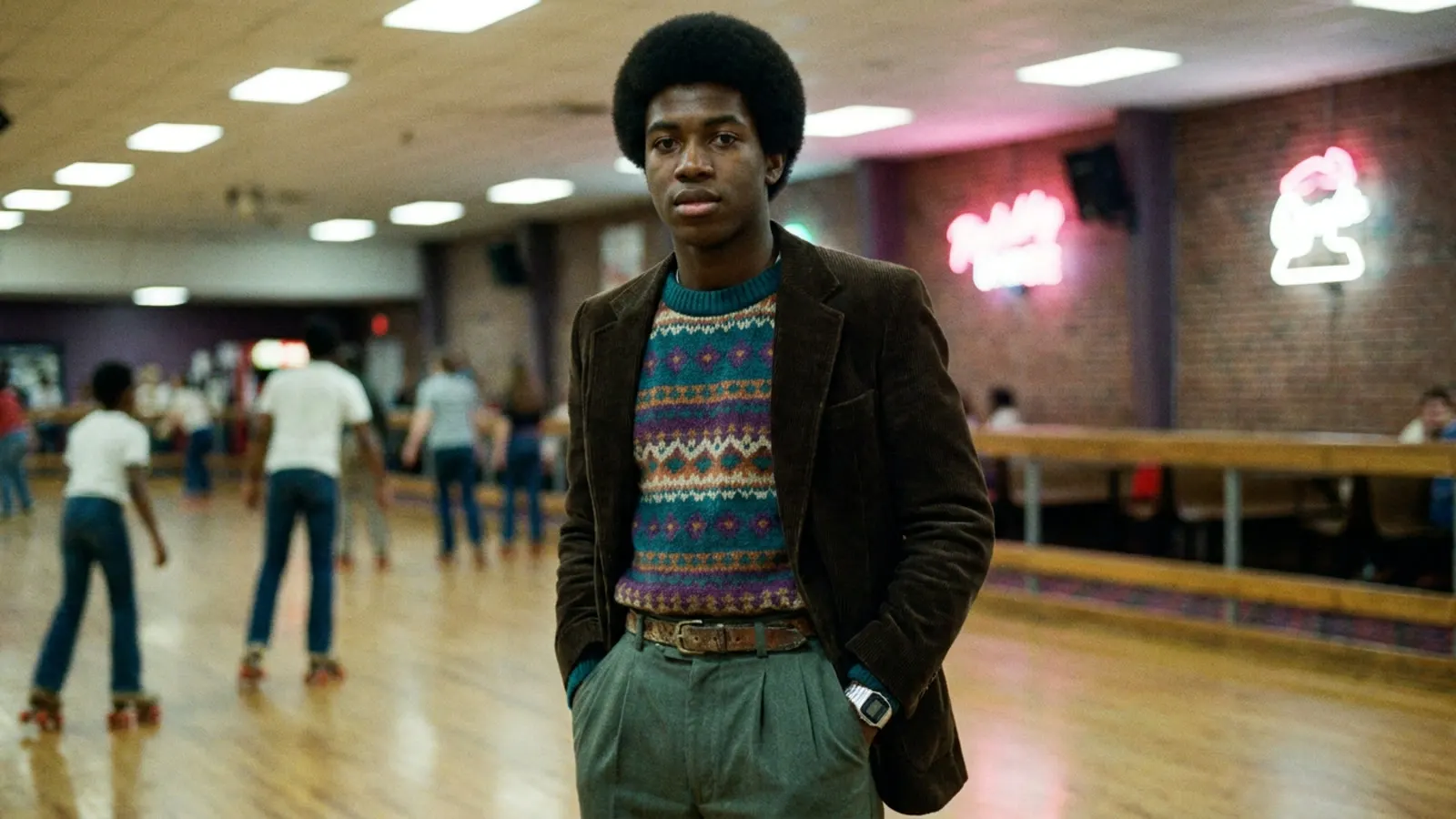
2. Documentary candid. Reportage rather than portrait: a bowling alley, a roller rink, a mall concourse. Flat overhead fluorescent light, other people blurred behind the subject, no date stamp, hands in pockets. This is the variant that looks least like AI, because it looks least like it was arranged.
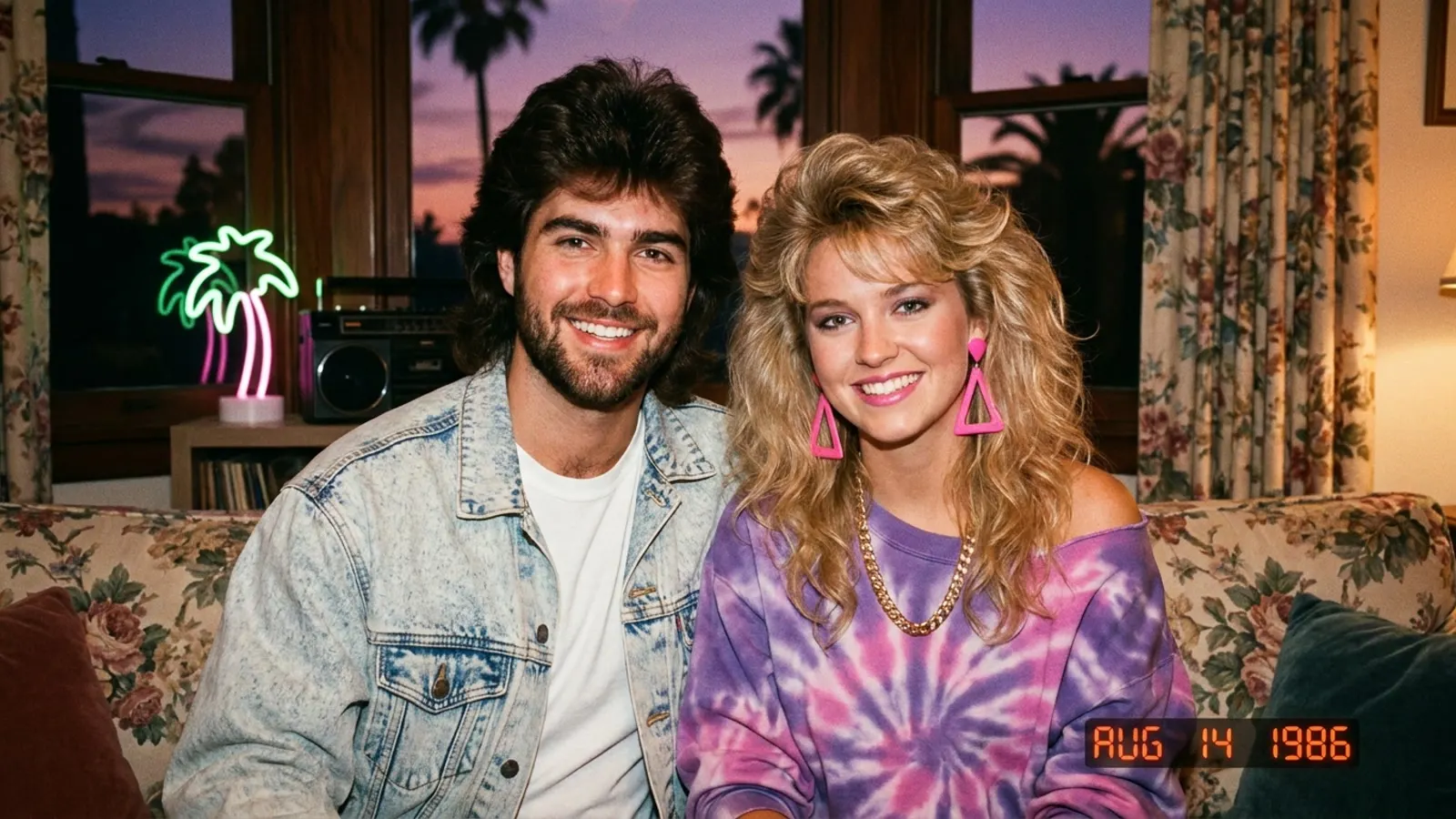
3. Neon nostalgia. Purple-to-orange sunset through a window, a pink neon palm sign, a boombox, tie-dye and acid-wash denim, big wavy hair. Saturated and stylized, more album cover than photo album. Great for couples and groups.
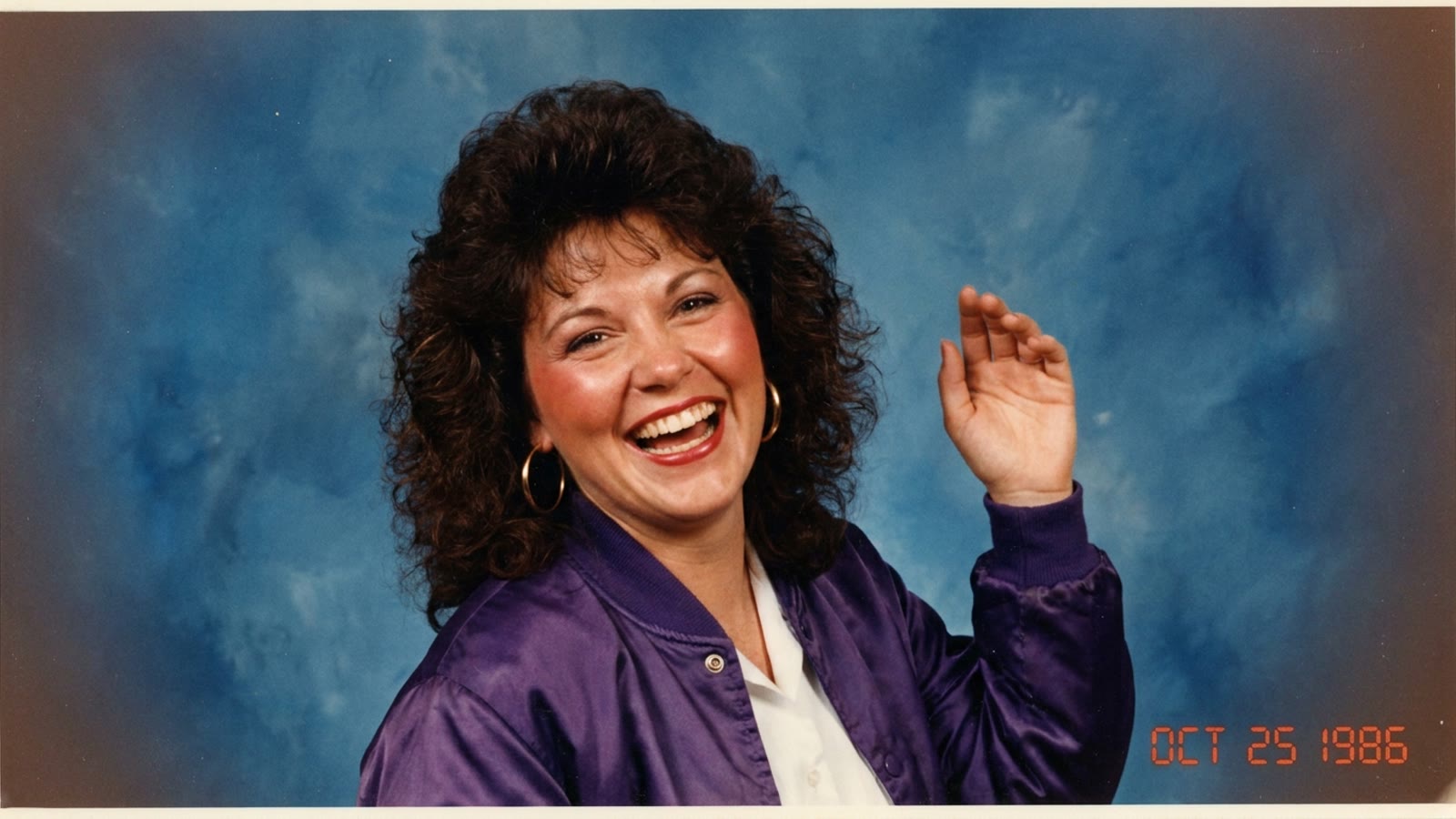
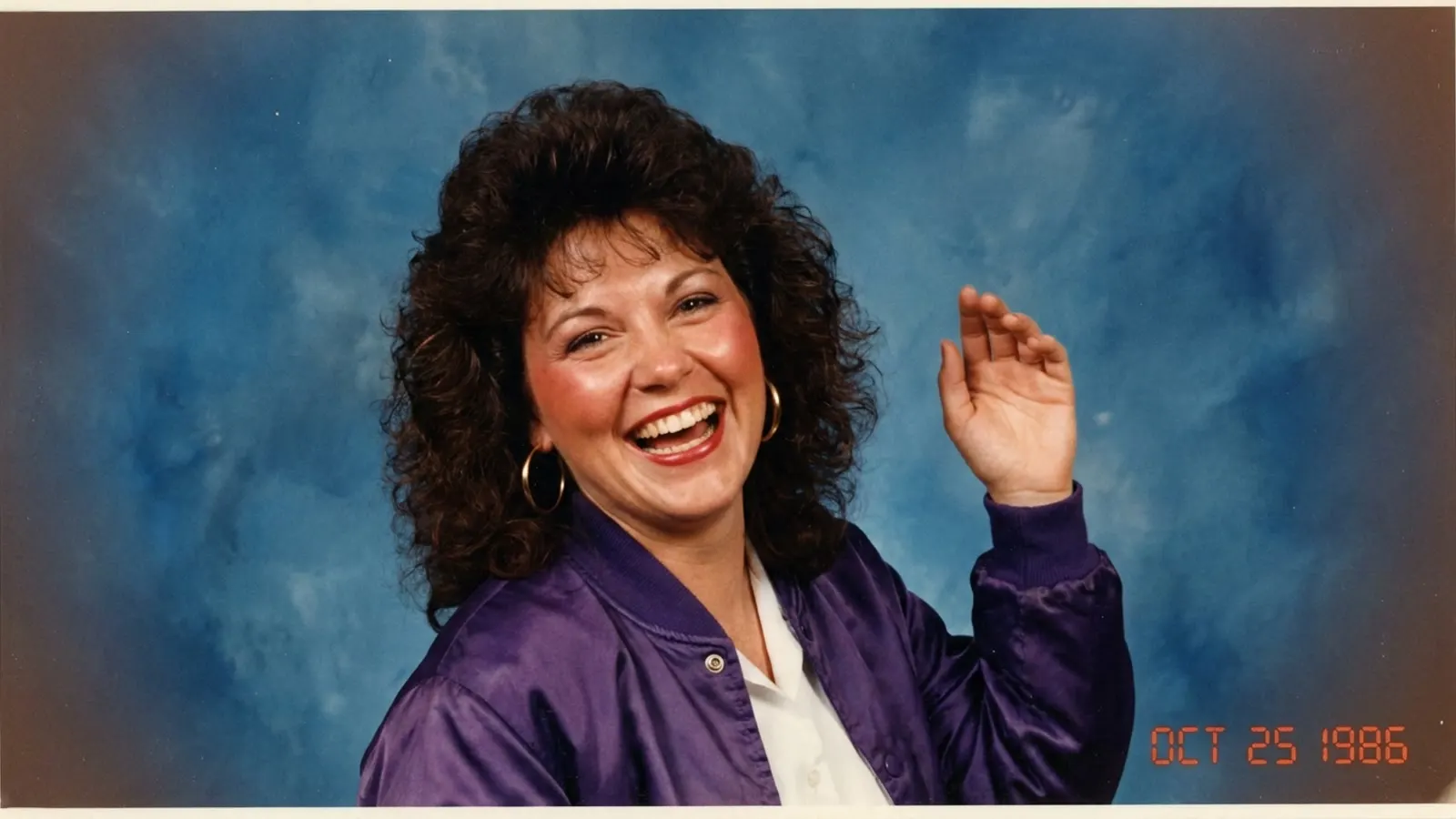
4. Mall glamour studio. The look people mean when they say "80s portrait". Mottled blue painted canvas, hard direct flash, big permed hair, bold blush and red lipstick, an oversized satin bomber jacket with shoulder pads. Maximum glamour, maximum volume.
Hover between two of them and the model compromises badly — "glamour" and "family snapshot" disagree about lighting, makeup and color. Name your archetype in the first sentence.
The anatomy of a 1980s AI photo prompt
Nearly every viral version of this prompt is the same paragraph with different nouns. It has seven slots, and they run in this order:
- Reference and identity lock — "Using my uploaded photo… preserve my facial features, natural skin tone, age and face shape."
- Year and location — "an American shopping mall photography studio in 1986."
- Wardrobe and hair — "a denim jacket over a plain T-shirt, softly feathered hair suited to my hair texture."
- Lighting — "warm bright studio lighting with direct flash, mottled blue studio backdrop."
- Mood and expression — "genuine bright smile, confident and playful, looking straight at the camera."
- Medium artefacts — "subtle film grain, slightly faded warm colors, the look of a print from a family album."
- Negative constraints — "avoid modern objects, no extra text, no logos."
Slots 1, 5 and 7 are the three people skip, and they are the three that decide whether the result looks like you, whether it looks happy, and whether it looks like a photograph rather than a render.
Seven 1980s AI photo prompts you can paste
Swap the scene details for the ones you actually want. Keep the identity and constraint sentences intact — they are doing the heavy lifting.
1. The prompt people are actually copy-pasting
This is the version circulating on X, and it is a good one — notice how it front-loads identity preservation and back-loads the period details:
Using my uploaded photo, show me what I would have looked like around 1985. Preserve my identity, facial features, skin tone, age, and recognizable appearance. Reimagine my hair, clothing, accessories, and surroundings with bold, unmistakably mid-1980s styling, expressive silhouettes, statement accessories, layered details, distinctive colors, and textures. Make it feel like a genuine 1985 photograph with analog grain, faded color, direct flash, and subtle softness. Add a period-accurate 1980s red-orange date stamp in the lower corner. No modern objects or text.
It is deliberately open-ended: it tells the model how to be 1980s rather than what to draw, which is why it produces something different for everyone. Use it as-is, or take the next six prompts when you want a specific scene.
2. The mall glamour shot
Using my uploaded photo, create a glossy 1980s American mall glamour studio portrait. Preserve my recognizable facial features, natural skin tone, age and facial structure. Give me big voluminous permed hair suited to my hair texture, bold blush and bright lipstick, and large statement earrings, with a shimmering satin jacket or a feather boa. Use a mottled blue studio backdrop, warm bright softbox lighting with direct flash, slightly faded warm colours and subtle film grain. Give me a genuine bright smile and a confident pose looking straight at the camera. No text, no watermark, no modern accessories.
3. The classic mall studio portrait
Using my uploaded photo, create a realistic portrait of me at an American shopping-mall photography studio in 1986. Preserve my recognizable facial features, natural skin tone, age and facial structure. Give me a denim jacket over a simple T-shirt and a softly feathered hairstyle suited to my hair texture. Use a mottled blue studio backdrop, soft portrait lighting with direct flash, and subtle film grain, so the finished image feels like a print from a family album. Avoid modern objects and do not add any text.
4. The yearbook photo
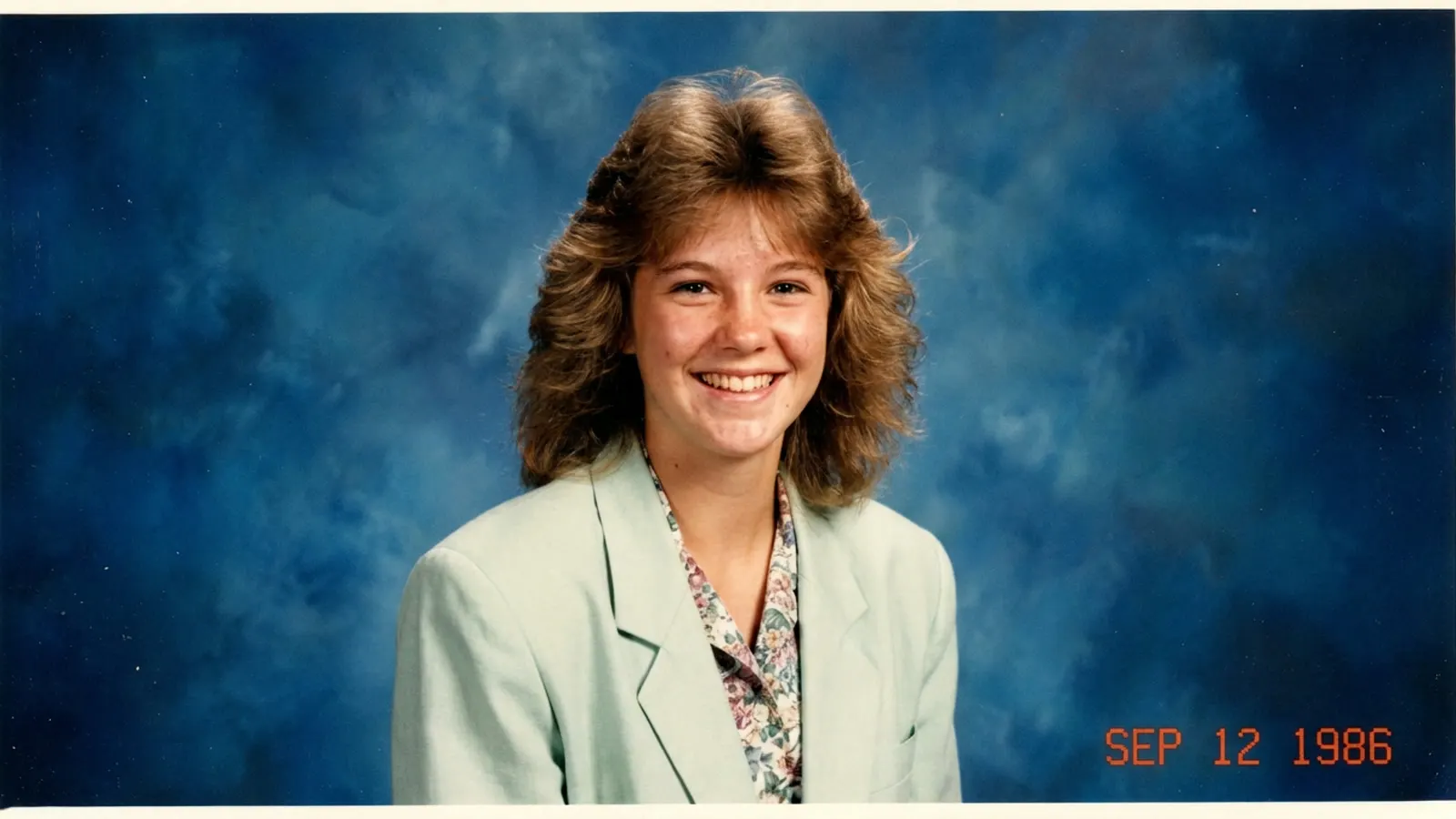
Using my uploaded photo, create a mid-1980s American high-school yearbook portrait. Keep my face, age, skin tone and expression recognisable. Dress me in an oversized pastel blazer with a patterned shirt, and give me a layered feathered hairstyle. Use a mottled blue-grey studio backdrop, warm bright frontal lighting, a relaxed smile, mild lens softness and visible 35mm film grain. Slightly faded colours. No text, no watermark, no modern accessories.
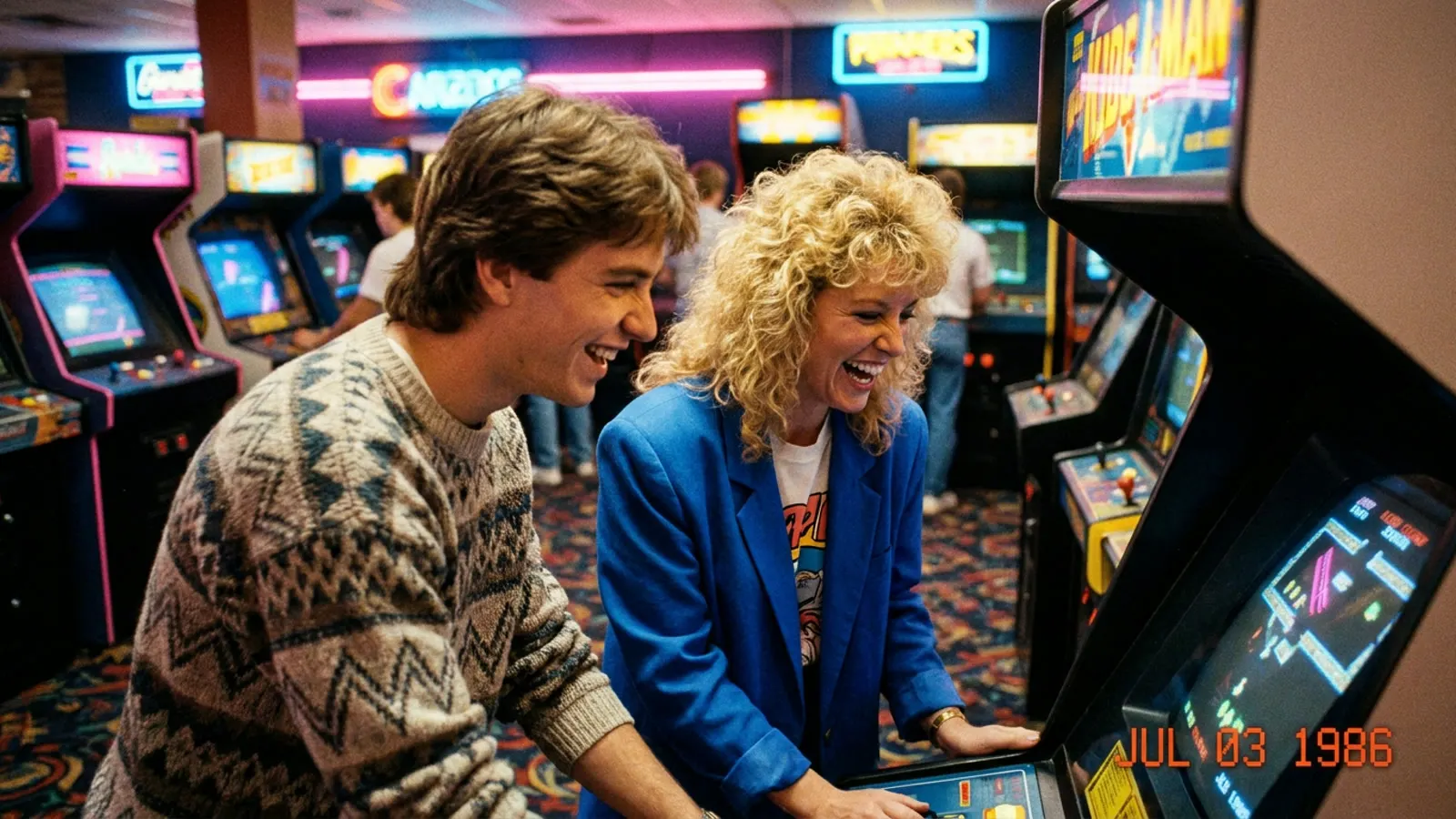
5. The arcade date
Using our uploaded photo as the reference, create a candid picture of us on a date at an American video arcade in 1985. Preserve both people's recognizable faces, natural skin tones, ages and facial structures. Dress us in casual denim, colourful tops and period-appropriate sneakers. Include rows of arcade cabinets and softly glowing screens behind us, direct camera flash, and relaxed natural poses. Keep skin texture realistic and avoid modern objects or readable signage.
6. The roller-rink snapshot
Transform my uploaded photo into a realistic snapshot of me at an American roller rink in 1984. Keep my identity, age, facial structure and natural skin tone consistent with the reference. Dress me in a colourful athletic top, high-waisted shorts, striped socks and quad roller skates, standing beside the rink railing. Coloured lights and skaters in the background, subtle motion blur behind me, and the look of a direct flash photograph.
7. The family living room
Use the uploaded reference photo to recreate us hanging out in an American suburban living room in 1988. Preserve each person's individual facial features, age and natural skin tone. Give us distinct casual outfits in denim and patterned knitwear. Include a wood-panelled wall, a patterned sofa, a cassette deck and a boxy television. Arrange us naturally, as though a friend just took a quick flash photo.
The keyword table: what to change when it looks wrong
Vague adjectives like "authentic" do very little. Physical descriptions of light, surface and process do a lot. Steer with the right-hand column.
| What you want | Words that actually move the model |
|---|---|
| Studio backdrop | "mottled blue painted canvas backdrop with visible wrinkles", "brown mottled canvas" |
| Flash look | "direct on-camera flash", "hard flash falloff", "crisp shadow cast on the backdrop" |
| Soft portrait instead | "large softbox key light", "soft portrait lighting", "gentle falloff" |
| Film texture | "subtle 35mm film grain", "analog grain", "mild lens softness", "slight halation" |
| Faded print color | "slightly faded colors", "warm color shift", "faded family-album print", "photo-lab color cast" |
| Glamour styling | "big voluminous permed hair", "bold blush and bright lipstick", "statement earrings", "satin bomber jacket with shoulder pads", "feather boa" |
| Living-room styling | "oversized geometric-print blazer", "patterned knit sweater", "bold abstract shapes", "gold statement earrings" |
| Warmth and mood | "warm bright studio lighting", "genuine bright smile", "confident relaxed pose", "playful expression", "cheerful" |
| Era cues | "feathered hair", "big wavy hair", "oversized patterned shirt", "high-waisted jeans", "acid-wash denim", "pastel blazer" |
| Period props | "brown wood-paneled wall", "pleated lampshade on a brass lamp", "framed landscape print", "cassette deck", "boombox", "boxy television", "upright arcade cabinets" |
| Print artefacts | "red-orange date stamp in the lower corner", "white photo-lab paper border", "light vignetting", "thin dust and scratch marks" |
And the negative list matters just as much. Ask the model to avoid: smartphones, modern cars, cold blue or harsh white lighting, contemporary signage, readable text of any kind, watermarks, and plastic over-smoothed skin.
Why your 1980s AI photo looks fake — and the fix
If the result reads as "AI trying to do retro" — or worse, as something you would not want to post — it is almost always one of these six problems.
The prompt described a mood instead of a photograph. "Nostalgic 80s vibe" gives the model nothing to work with. Naming the backdrop, the light source and the film stock gives it everything.
The skin is too clean. Digital models default to poreless skin. Add "keep skin texture realistic" and "no beauty retouching" — the faint unevenness of 1980s portrait printing is a large part of the effect.
There is no age on the image. Real prints aged. Add "slightly faded colors", "warm color shift" and "slight vignetting" so the picture looks twenty years old instead of merely color-graded.
A modern object slipped in. Check the edges of the frame — a phone in a hand, a logo on a shirt, a car through a window, an LED strip in the background. List the exclusions explicitly and re-check the full image, not just the face.
It went uncanny instead of glamorous. This is the most common failure and the one that gets a photo deleted instead of posted. Cold blue light, an unsmiling stare and poreless skin together read as a wax figure, not as 1986. The fix is to ask for three things by name: warm light, a genuine smile, and realistic skin texture with visible pores. Glamour in 1986 was bright and cheerful — bold makeup, big hair and a real expression — not a dim, deadpan stare.
Identity drifted. The face is close but the proportions changed. This is what the identity-lock sentence prevents: name the features you want preserved (face shape, eyes, nose, smile) rather than saying "keep it the same."
When only one thing is wrong, ask for a targeted correction instead of rewriting the whole prompt: "Bring my face closer to the original reference — keep my face shape, eyes, nose and smile. Leave the outfit and background as they are." Small, specific revisions beat full regeneration, and they are exactly how reference-image editing is meant to be used; our prompt-based editing workflow covers the mechanics.
Before you upload your face
This is the part the prompt packs leave out. The 1980s trend requires a clear, well-lit photo of a real person, which means it requires uploading a face — and coverage of the trend has reasonably asked what that costs.
Four practical rules:
- Check the retention setting on the tool you are using. Whether your upload is stored, for how long, and whether it may be used for training are three separate answers. Read the policy before you upload, not after.
- Prefer photos of yourself, or people who have agreed. Uploading a friend's or a colleague's face to generate their 1980s portrait is a decision you are making for them.
- Watch out for minors. Family photos with children are the most emotionally appealing input and the most sensitive thing you can upload.
- Treat the output as a synthetic image. Some people caption these as throwbacks without saying they are AI-generated. A one-word label keeps it honest and costs nothing.
None of this makes the trend a bad idea. It makes it a decision worth thirty seconds of thought.
Do you need ChatGPT for this?
No. "1980s AI photo prompt ChatGPT" is the phrase people search because ChatGPT is where the trend started, but the trend is really a prompt format — reference image plus identity lock plus period styling — and it runs anywhere a model accepts an image input and a text instruction.
The practical differences are about the loop, not the paragraph:
| Where you run it | Best when | Trade-off |
|---|---|---|
| ChatGPT | You want a conversation and the prompt gets refined as you chat | You compare versions inside a chat thread rather than side by side |
| A dedicated image workspace | You want to compare drafts and settings in one view | Less conversational back-and-forth |
| Self-hosted diffusion models | You want full control over the model and checkpoint | Requires setup and hardware |
If you want to keep the 1980s look and change one thing at a time, working through a dedicated generator is usually faster than a chat thread. Our AI image generator takes the same prompt text, offers Flare and Sunburst so you can compare two drafts of the same brief, and keeps every result in a library you can download from later. Prompt structure is portable — the guide to writing an effective first prompt applies here unchanged.
Frequently asked questions
Where do I find the viral 1980s ChatGPT prompt?
The most widely shared version is prompt 1 above: upload a clear photo, then ask the model to show you what you would have looked like around 1985 while preserving your identity, then describe the period styling, film grain and date stamp. It is deliberately open-ended, which is why it produces something different for everyone. If you want a specific scene instead, prompts 2 to 7 name the backdrop, wardrobe and lighting for you.
Is the 1980s AI photo trend free?
It depends on the tool. Image generation in ChatGPT has been tied to paid plans in most regions, and independent generators sell credits. The prompt itself is free — copying it costs nothing, and you should be skeptical of any site charging for the text of it.
Why do my 80s AI photos look fake?
Usually because the prompt described a feeling rather than a photograph. Name the backdrop material, the light source, the film grain and the color fading; add "keep skin texture realistic"; and exclude modern objects explicitly. Faded color and slight vignetting do more for authenticity than any adjective.
Is it safe to upload my photo for this?
The image itself is rarely the risk — the retention policy is. Before uploading, find out whether the service stores your photo, for how long, and whether it can be used to train models. Upload your own face rather than someone else's, be careful with photos of children, and label the result as AI-generated when you post it.
Can I get the 1980s look without uploading my face?
Yes. Ask for a scene with no people in it — a mall studio camera room, an arcade, a roller rink — or generate a person who does not exist and apply the 1980s styling to that. Pets and objects work too, since the aesthetic lives in the lighting, grain and color rather than in the subject.
Which decade's prompts go with this style?
Prompts copy well across eras if you change the equipment, not the adjectives. 1980s prompts lean on direct flash, mottled canvas backdrops and faded prints; 1990s prompts move to point-and-shoot cameras and brighter color. Keep the identity lock and the negative constraint list identical and swap only the time-specific details.
The one-line summary
A 1980s AI photo prompt is a reference-image edit with three ingredients: lock the identity, describe the equipment, and let the print age. Everything else — the mall, the arcade, the roller rink — is set dressing you can change in a sentence.
Start with prompt 1, run it once in the AI image generator, and compare two drafts before you post. If the first result misses, change one clause rather than the whole paragraph, and check the edges of the frame for a phone.